
Users with the "Manage Renewals on Hierarchy" authorisation role can manage their clients ongoing renewals by navigating to Dashboard and select Active renewals.
- Triggered renewals will have the status New. Users can submit initial information for these clients by clicking on Submit details, which will navigate the user to the renewal details page.
- After clicking on Submit details on the right, a pop-up screen with the renewal form will launch and the user within your organization can submit all necessary information for the client.
- The form contains multiple steps and after the last step has been completed, the user can submit all the data by clicking on Submit.
Steps within the Renewal form
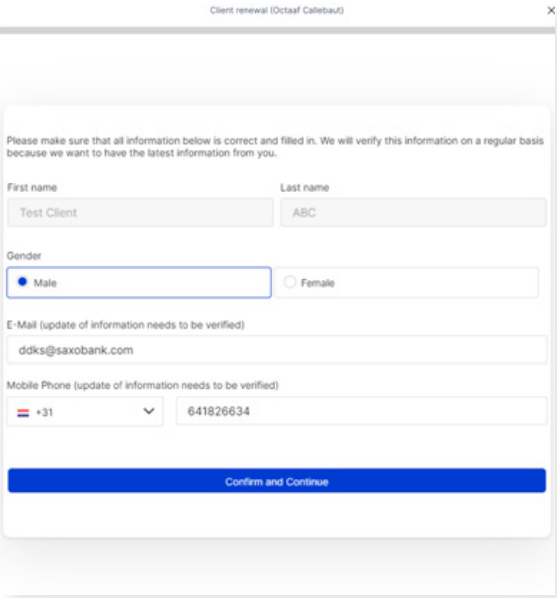
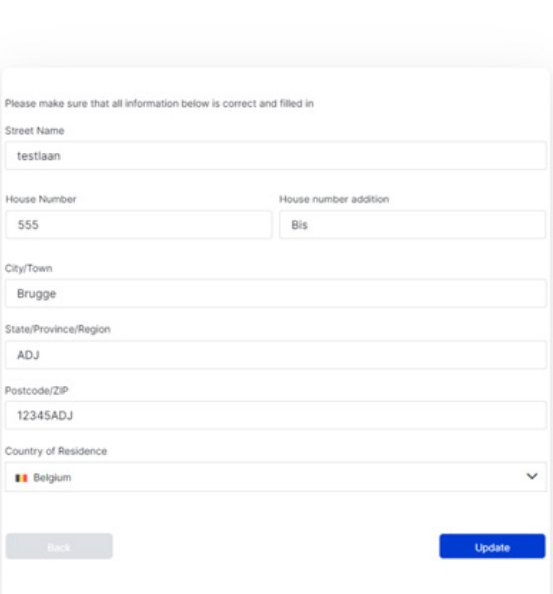
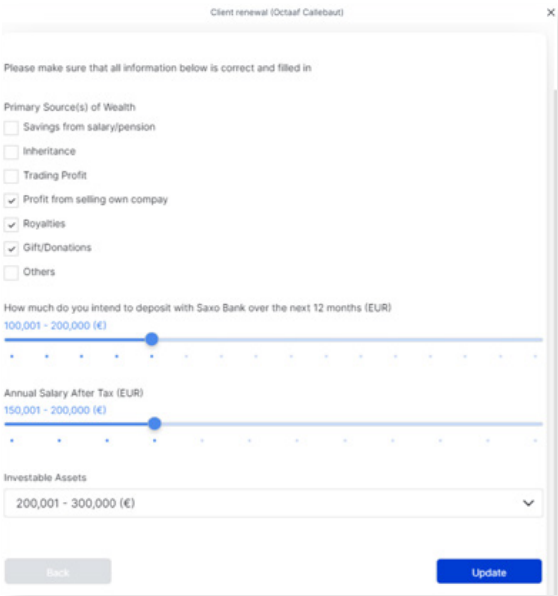
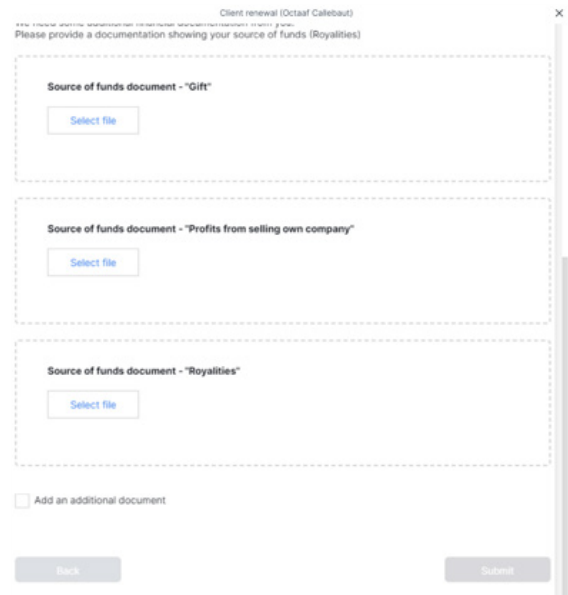
- Status updates: Initial status 'New' changes to 'Waiting' post-form submission, progressing to 'In Progress' once under review, limiting access to the renewal form as a KYC specialist is reviewing the data/documents.
-
Feedback Loop for Additional Information: In some cases, we might have additional questions or documentation required for us to perform the client due diligence for private clients.
Navigate to Dashboard --> Client Services --> Active renewals and provide additional information on pending cases marked as "pending".
- Users can submit additional information for pending cases by clicking on Submit feedback, which will navigate the user to the renewal details page
- The user can provide the additional information/documentation by clicking on Provide more info.
- The description of the missing information will be indicated, as seen on the image below (missing Proof of identity document and Additional Document). Please upload all the requested information/documentation and then press Submit.
- After submitting the feedback, the status will change back from Pending to In progress. Once that happens, the renewal form will no longer be available as a KYC specialist is reviewing the submission of the data/documents. If you have any questions, please contact your account
manager via Case Management.
Comments
0 comments
Article is closed for comments.